Showing posts with label websites. Show all posts

Wednesday, March 27, 2013

Inspirational website


I love this website by Andrew Mccarthy. It is a really clever yet simple idea to use the scroll of a website to emulate "Sallie Gardner at a Gallop" but instead with a cat.

Wednesday, November 14, 2012

The Guardian Goes Responsive


The new Guardian website has been released on beta
http://beta.guardian.co.uk/
It is now responsive and looks like it was designed for mobile only, but I do kind of like the simplicity of it

Thursday, April 19, 2012

Spotify playing on your website

Spotify announced yesterday the introduction of their own global play button that lets you embed your own Spotify playlist on your site.

It is incredibly easy to use. All you need is your Spotify playlist url, right click a track, playlist, or album within Spotify, choose HTML Link, then paste the link into Spotify's developer website and it generates the html for an iframe for you to copy and paste into your site. There are also options to customise how it appears.

The drawbacks are that it is not immediately apparent that the user will need to have a spotify account to play it and the music does not play through the browser, but from the Spotify application itself and people used to flash players will no doubt get a little confused. 

However I'm convinced and imagine it will be seen on a large number of sites.


And I am currently listening to the Maccabees

Thursday, May 19, 2011

Icon Finder

Looking for a twitter button or maybe just a volume icon? Then pop to Icon Finder. The site has allows you to search through 154,651 icons or browse 793 icon sets and then download the png or ico (although many are just free for personal use).

Icon Finder

Tuesday, April 12, 2011

The end of IE6

At the beginning of the year Google announced that it would no longer be supporting IE6, as it is the browser identified as the weak link in a cyber attack on the search engine. As a result many of their applications and sites won't work properly in older browsers. Many developers jumped up and down with joy at the news although for some time there have been many campaigns to stop supporting this old browser such as Kill IE6 and lots of sites just showing a page telling the user to update their browser. Even Microsoft have a campaign to end the 10 year reign with the The Internet Explorer 6 Countdown which states that there are 11.6% still using it.

So the question that I have to ask myself, do I stop adding in the hacks and separate stylesheets for it? So many companies still have to use it and really how much hassle is it to get a site working in IE6, if not looking pixel perfect? I started in this industry at about the same time as IE6 was born and so many of the little hacks and allowances for this old boy have become second nature, yet should I not be staying in line with all the big boys and just say no? I guess at the end it is really up to the client and if they want to support it. They are not always right but they are the ones who pay the bills.

Thursday, March 31, 2011

Google +1


Google have lunched their +1 button which is similar to a Facebook’s like or retweet button. The +1 button is to sit next to the links for the Google search results page and will allow you to recommend the link to you friends on Gmail chat and in ‘My Contacts’ group. This button can work on both advertisements and links for the searches on results page.

It seems like Google is getting in on the social networking but it is also there to improve search engine results, showing more relevant listings. At the moment though the +1 button is just on the search results but apparently it will soon be available to publishers to be able to put them on their web pages.

Thursday, March 24, 2011

Firefox 4 is launched


So Mozilla's new Firefox 4 arrives after a delay from the end of 2010 and with over 17 million downloads and counting it looks like it will surpass the launch of version 3.

According to Mozilla the page-rendering speed has been tripled, and the browser has increased support for web standards like native HTML5 video, fancy CSS 3 visual effects and native web fonts. The user interface has also been revamped with tabs being moved to the top of the browser window, in line with the design of Chrome and a new feature "Panorama." For which you will be able to group and quickly switch between related clusters of open tabs. Additionally the status bar at the bottom has been removed.

It is also possible to personalise your browser with "Personas" which you either design yourself or choose from over 30,000 ready made ones. Add-ons are now given more prominence with it’s own bar, though it’s disabled by default and a new plugins tool has been built.

With the rise of mobile surfing FF4 now lets you sync seamlessly with your desktop and mobile Firefoxes allowing access to your browsing history, passwords, bookmarks and even open tabs no matter which device you use. Mobile add-ons are now there with things such as "easy reading" and "reading list" which allows you to save pages to read offline.

As this is probably the last big launch by Mozilla who will probably go for more incremental releases in the future it is quite exciting.

Thursday, March 10, 2011

QR Codes

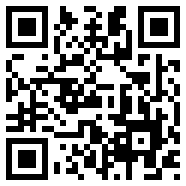
QR Code for FAT Pudding


I am working on some Japanese sites and QR codes are huge over there and seem to be growing in popularity here too, appearing in newspapers, marketing leaflets, business cards and of course websites.

So what are QR codes? A QR Code (Quick Response) is a matrix code (or two-dimensional bar code) that works like a bar code on a box of cornflakes that allow its contents to be decoded at high speed. However they are more useful than the standard barcode as standard barcode they can store and present much more data, including url links, geo coordinates, and text. The codes can be read by smart phones such as iPhones and Androids with a simple app. I downloaded QR Reader.

There a various ways to generate a QR code. A web based site is kaywa but there are many out there by doing a google search. Also they can be created by php, .net etc

There are many benefits of the QR code such as SEO, letting customers know and store a large amount of information that they want, sending users directly to your website and giving more interactivity to your customer.

A more complex use of QR codes is using them as a sort of digital business card for major companies. There are many companies out there today that utilize QR codes as a business card for sharing accounts and contact information. QR codes can be used as a digital business card for sharing accounts and contact information. They could be used in games and competitions and all sorts of inventive ways.


QR codes sure to become more and more common in the years to come as both customers and advertisers become more aware of them and the best ways to use them

Tuesday, March 08, 2011

New Site Launching soon


Universal Vinyl, a new store that I have designed and built is launching very soon.

Monday, February 21, 2011

Balsamiq Mockups

Balsamiq Mockups is a great way to do quick and easy wireframes for websites. The full version is $79 but you can have a free 7 day trial and also use the web interace demo.

The wireframes are sketchy and low-fidelity with linking that lets you generate click-through prototypes for demos & usability testing.

Thursday, February 10, 2011

Best practises when building a website

Best practises when building a website

When building or maintaining a website best practises should be used to ensure the highest level of usability and a level of accessibility appropriate for the audience of the site.

Sites should adhere to the World Wide Web Consortium (W3C) standards which make web documents more accessible to all types of users and machine agents, and more visible to search engines.

  • Doctypes – by using a certain type of doctype it is possible to validate the code to the specific syntax. Best practise dictates that strict mode should be used to ensure that all code is to the newest and highest standards.
  • XHTML – using XHTML ensure that the highest standard of coding that works in all browsers plus XHTML pages can be read by all XML enabled devices. The code should be validated to the W3C standards and ASCII text be used were needed.
  • Tags - should be used where possible. Alt tags should always be used to add associate keywords to images. Heading tags should be used appropriately. H1 – H6 tags to be used for top level key words as more weight is placed on them from the search engines.
  • Images – images should always specify their width and height to allow browsers to continue rendering while waiting for the image data. Logo and imagery play an important role in the overall look and feel of a website therefore the images used on a page should relate to the content and be appropriate for the attended audience. For accessibility purposes alt tags should contain relevant information about the image and not just describe it.
  • JavaScript – the js code should be included using external files for caching and better maintenance.
  • CSS – this should always validate and be used to layout the page using css2. Text should be formatted with css1 and other decorative elements rendered with css2. The external css files should be sent with the correct MIME type. Aural CSS enable web authors to how their pages should be read aloud by screenreaders that support them.
  • Typography – the typography should be legible and readable. Some fonts are not always legible and are designed just to stand out. The text size should be made to be changeable but the default setting should always be set at a level that is readable and clear. The colours used should also be taken into consideration and chosen so that there's enough contrast between your text and page background colour - particularly if using a background image on the page.


Usability

“The usability of a website is the extent to which the website can be used by specified users to achieve specified goals with effectiveness, efficiency and satisfaction in a specified context of use.”

The key to the usability of a website is to understand the users and what they will be trying to achieve by visiting the site. For most websites the navigation should be consistent and user paths should be clear and easy to follow, information should be laid out in an expected manner and there should be clear links back to the homepage.

Things that need to be considered when thinking about the usability of a website are:

How easy is it to navigate around the site?

Overall look and feel of site

Relevance of site images to content

Relevance of site content (text)

Overall ease of use

Overall page layout and organization

Was the site inviting to use?

Were the naming and labelling of links clear?

Site download time

What hardware and software will the majority of your users use to access your site?

Would you recommend this site to a friend?

Navigation

The navigation of the site is probably the most important issue with regards to how your users will find out more about you and the information they require. The navigation should be in a consistent location on each page of your website and tell the user where they are and where they can go. Clear language should be used and breadcrumbs (location indicator devices) can be included to aid the user and should be added near the top of the page showing the user where the page belongs within the structure of the site. Links back to the homepage should be added to every page of the site.

Navigation must also be considered for people who cannot use a mouse but must tab through content to get to the options or information they need on a page.

Links

Textual hyper links should be indicated in an appropriate manner. They should be in a different colour or style to the other text on the page and are often shown as underlined. Text links should also make sense to a screen reader or other similar device.

Sitemap

A sitemap will allow a user to visit one page and find out the hierarchical structure of the site. It is a good reference for a user trying to find a specific piece of information or webpage.

Title Tags

The title tag is shown in the top title bar of the browser and should be relevant to the current page. It is useful for those who may bookmark your site and in tabbed navigation.

Accessibility

It is now mandatory that government websites comply with the minimum level of the World Wide Web Consortiums Web Accessibility Initiative, however the more accessible a website the greater number of people can use it.

Access technology is used to adapt or make computer systems and services accessible to a disabled person or people using different web technologies such as mobile and pda’s. Examples include the provision of screen readers and text-to-speech systems; screen-magnification software; tactile braille display, trackballs, touch pads/screens etc; alternatives to standard computer mice, keyboards, switches and voice-recognition software.

The level of accessibility should also reflect the purpose of the site and who it is aimed at. Other considerations for an accessible website should include how the website will be maintained e.g. manually, using a CMS, or by using an automated web application

Accessible websites include:

  • Text only versions
  • Different style sheets for different mediums - If the browser or browsing device does not support stylesheets or stylesheets are switched off, the content of each page is still readable and the site fully navigable.
  • Text resizing
  • Access Keys – using the U.K. government standards
  • Hypertext links - Use text that makes sense when read out of context e.g., avoid ‘click here’’. Where necessary have a title attribute which describes the target in greater detail.
  • Using Skip Links – allows a user to navigate around a web document, without having to cycle through a huge list of links. Is a useful feature for screen reader users, and keyboard users in general, but they're also useful to other groups; primarily, people with mobility difficulties.
  • Use of headings, lists and consistent structure

Accessibility of a website can be checked using the BOBBY Accessibility Checker

http://webxact.watchfire.com/

Testing for usability and accessibility

The test of usability and accessibility involves measuring the ease with which users can complete common tasks on the website. The testing should be completed by a wide range of users who would normally be expected to visit the website, the aim is to observe people using the product in as realistic a situation as possible, to discover errors and areas of improvement. User groups can be set up and given a number of tasks to perform. Their user journeys are then evaluated and the result implemented into the design and build.

In the production stages the final product is developed and then the functionality evaluated through testing, quality assurance, usability testing, and field testing. The evaluation results are used to improve the product and this process is repeated until the business goals are met.

Once the website has been launched it this then maintained and refined with user feedback which can be used to create new requirements

Sunday, January 23, 2011

Jamie Woon Website

Just finished the second stage of the Jamie Woon website.
www.jamiewoon.com. New slide up footer added with the twitter, facebook and echonest feed, plus now it works better on a mobile.