Thursday, April 28, 2011

A Delicious Purchase


After announcing that it was giving up on Delicious, Yahoo has finally found a buyer for the bookmarking tool in the form of YouTube founders Chad Hurley and Steve Chen. Delicious, has millions of users around the world, was launched in 2003 and bought by Yahoo! in 2005.

I have always liked Delicious but gave up on it a few months ago after all the uncertainty and swapped to Google bookmarking. I think that many people also moved away, and it even lost its spot in popurls.

AVOS chief executive Hurley said in a statement"We're excited to work with this fantastic community and take Delicious to the next level," Hopefully its new owners will bring it back to life again.

Thursday, April 21, 2011

Essential JS files

When starting with a new web site there are certain files that you will need to include to have a modern and well functioning site.  Obviously your site may be more minimal and therefore you could not add them but here are the ones that I try to include.

Jquery
<script src="//ajax.googleapis.com/ajax/libs/jquery/1.5.2/jquery.min.js" type="text/javascript"></script>

Most sites that I build use jquery and why not let the google content delivery network take the strain and host it for me  directly from Google’s network of datacenters.  Benefits include decreased latency, increased parallelism, and better caching.


HTML5 shim
<!--[if lt IE 9]>
        <script src="http://html5shim.googlecode.com/svn/trunk/html5.js"></script>
   <![endif]-->


Also the same as shiv, this js file is to be added if you are building in html5.  This script tells IE what the html5 elements are.  Use in conditional statements


Modernizr
<script src=" /js/modernizr-1.6.min.js"></script>

Modernizr is is an open-source JavaScript library that allows you to use CSS3 and HTML5 as it adds classes to the <html> element which allow you to target specific browser functionality in your stylesheet.  This means that you can take full advantage of all the HTML5 and CSS3 features that will be implemented in some browsers, without sacrificing control over the user experience in other browsers.

Wednesday, April 20, 2011

What is that font?

Web fonts are now more and more common and sometimes when you see a good looking site you think, humm I like that font, I would like to use it too. Well that is why I love the What Font bookmarklet from Chengyin Liu.


This little JavaScript bookmarklet lets you easily know which font a site is using by just clicking the bookmark and hovering over the text in question. What Font will then show a a small transparent overlay with the typeface name. Of course you can do this in FF firebug but this is just so simple and quick.

Friday, April 15, 2011

Cool USB's

A USB is a functional device that is also incredibly handy. It can also be a beautiful bit of design or something quite cute

Budweiser Offers Beer-Filled USB Drive Bud USBA Budweiser newest promotional USB filled with golden goodness
R2D2 USBstarwars - r2d2 usbwhat list is complete without a starwars gadget
Ninja Flash Driveninja usbA cute ninja usb fashioned from tactile, water resistant silicone.
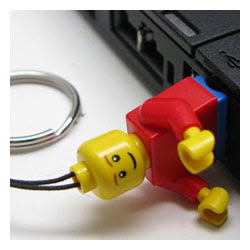
Lego man USBlego usbAn official LEGO Minifigure USB drive. Need I say more.
Gold Robot Flash Drivegold robot usbBe decedant and geeky at the same time with this little fellow
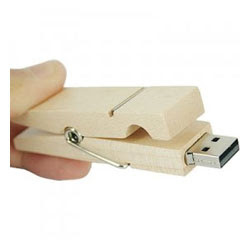
Clothespin USB Flash Drive clothspeg usbSomething just so simple about this, I really like it.
Wooden USB Stickwood usbSome very woody USB sticks
Transformers UBS A usb and a toy that transforms to Ravage, the tiger-like creature in Transformers 2

Tuesday, April 12, 2011

The end of IE6

At the beginning of the year Google announced that it would no longer be supporting IE6, as it is the browser identified as the weak link in a cyber attack on the search engine. As a result many of their applications and sites won't work properly in older browsers. Many developers jumped up and down with joy at the news although for some time there have been many campaigns to stop supporting this old browser such as Kill IE6 and lots of sites just showing a page telling the user to update their browser. Even Microsoft have a campaign to end the 10 year reign with the The Internet Explorer 6 Countdown which states that there are 11.6% still using it.

So the question that I have to ask myself, do I stop adding in the hacks and separate stylesheets for it? So many companies still have to use it and really how much hassle is it to get a site working in IE6, if not looking pixel perfect? I started in this industry at about the same time as IE6 was born and so many of the little hacks and allowances for this old boy have become second nature, yet should I not be staying in line with all the big boys and just say no? I guess at the end it is really up to the client and if they want to support it. They are not always right but they are the ones who pay the bills.

Monday, April 11, 2011

Thursday, April 07, 2011

Royal Weddings

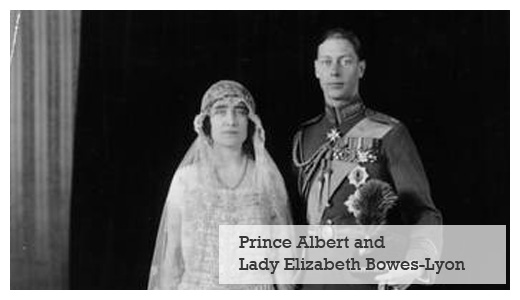
With the upcomming wedding of Prince William and Kate Middleton on Friday 29 April at Westminster Abbey, everyone is speculating on the design of the dress and how it will all look. Below are some of the previous big Royal Weddings.

Updated
and now for the latest beautiful wedding on 29 April 2011 ...
royal wedding - william and kate


royal wedding - charles and diana

royal wedding - elizabeth and philip

royal wedding - bertie and  elizabeth

Tuesday, April 05, 2011

Great Music Haircuts

Here is a cool info graphic of 108 iconic haircuts from the music industry from the Fast Company. I am sure that next will be the even more outragous footballers hairstyles.

The image would also make a nice little pop quiz.


Monday, April 04, 2011

great insult

You don't get a good insult like this anymore

Learning Javascript and JQuery

There are many good places on the internet where to learn javascript or jquery from basics.  Some sites have nice tutorials others with informative videos or slideshows.
Here are a couple of nice sites to begin:

Thursday, March 31, 2011

Google +1


Google have lunched their +1 button which is similar to a Facebook’s like or retweet button. The +1 button is to sit next to the links for the Google search results page and will allow you to recommend the link to you friends on Gmail chat and in ‘My Contacts’ group. This button can work on both advertisements and links for the searches on results page.

It seems like Google is getting in on the social networking but it is also there to improve search engine results, showing more relevant listings. At the moment though the +1 button is just on the search results but apparently it will soon be available to publishers to be able to put them on their web pages.

Favourite Books

Recently the BBC hosted the nations favourite books which inspired me to illustrate my favourite books


Wednesday, March 30, 2011

HTML5 Generator


There are many html5 boilerplates out there and it is a good idea to create one for yourself with elements that you use a lot and that you feel comfortable with. I have always had a boilerplate for which to start a new project with as it speeds things up and it removes the blank canvas feeling.

However if you are feeling a little lazy or you are just starting to learn then Initializr by Jonathan Verrecchia is a good place to start. It is an HTML5 templates generator to help you getting started with an HTML5 project. Initializr gives you options for your template which are:
Content
Javascript with the option of minified and unminified jquery
Compatibility
Server Configuration
Analytics

Find it here

Friday, March 25, 2011

Canvas Tag


The new HTML5 canvas tag that is a container that allows for dynamic, scriptable drawing of 2D of graphics, allowing both simple and complex shapes to be drawn that you could previously only get by using images. With javascript we can manipulate what appears on the canvas so it can be used to make photo compositions, graphs games, animation etc


The <canvas> tag consists of a drawable region with a defined width and height, which are optional and can also be set using DOM properties. It is only supported by a number of browsers that are Firefox 1.5 and later, Opera 9 and later, and newer versions of Safari IE 9 will have support for it as well.

Some Examples are:
tetris like game
physics boxes
painter
clock

Thursday, March 24, 2011

Firefox 4 is launched


So Mozilla's new Firefox 4 arrives after a delay from the end of 2010 and with over 17 million downloads and counting it looks like it will surpass the launch of version 3.

According to Mozilla the page-rendering speed has been tripled, and the browser has increased support for web standards like native HTML5 video, fancy CSS 3 visual effects and native web fonts. The user interface has also been revamped with tabs being moved to the top of the browser window, in line with the design of Chrome and a new feature "Panorama." For which you will be able to group and quickly switch between related clusters of open tabs. Additionally the status bar at the bottom has been removed.

It is also possible to personalise your browser with "Personas" which you either design yourself or choose from over 30,000 ready made ones. Add-ons are now given more prominence with it’s own bar, though it’s disabled by default and a new plugins tool has been built.

With the rise of mobile surfing FF4 now lets you sync seamlessly with your desktop and mobile Firefoxes allowing access to your browsing history, passwords, bookmarks and even open tabs no matter which device you use. Mobile add-ons are now there with things such as "easy reading" and "reading list" which allows you to save pages to read offline.

As this is probably the last big launch by Mozilla who will probably go for more incremental releases in the future it is quite exciting.

Yum Yum


Yum Yum London are 2 designers, Beth Algieri and Jonny Plummer who create lovely and fascinating little characters. From little monsters to old ladies all seem to have their own personality.

Tuesday, March 22, 2011

CSS Easing


A fantastic little css easing tool by Matthew Lein.

It is unfortunate that so many browsers don't support css animation :(

Thursday, March 17, 2011

Unicorn Bike


I am not sure where this came from but I so want a unicorn bike!!

Wednesday, March 16, 2011

CSS3 Generators

There are a growing number of css3 generators popping up on the web that can make life easier for a coder and gives a good starting point for someone starting to experiment with css3. They are handy little tools but should be used for practise and understanding as eventually you should know the code as well as you would know standard css.


  • CSS3 Generator by Randy Jensen creates a box with border radius, box shadow, gradient and opacity.

  • CSS3 Generator/ by Eric Hoffman and coded by Peter Funk.

  • @font-face Generator for generating the css HTML, CSS and multiple font file formats.

  • CSS3 Generator by widget pad again with several properties and CSS3 effects.

  • Button Maker creates some lovely little css3 button from Internet wiz Chris Coyier.

  • Border Image lets you upload your image and then creates the border from it.

  • CSS3 Maker gives lots of options and shows the browser support for each.

Monday, March 14, 2011

Cats with thumbs


I love this new advert from Cravendale milk. Cats with thumbs shows cats growing opposable thumbs and then launching an attack for the milk.

Thursday, March 10, 2011

QR Codes

QR Code for FAT Pudding


I am working on some Japanese sites and QR codes are huge over there and seem to be growing in popularity here too, appearing in newspapers, marketing leaflets, business cards and of course websites.

So what are QR codes? A QR Code (Quick Response) is a matrix code (or two-dimensional bar code) that works like a bar code on a box of cornflakes that allow its contents to be decoded at high speed. However they are more useful than the standard barcode as standard barcode they can store and present much more data, including url links, geo coordinates, and text. The codes can be read by smart phones such as iPhones and Androids with a simple app. I downloaded QR Reader.

There a various ways to generate a QR code. A web based site is kaywa but there are many out there by doing a google search. Also they can be created by php, .net etc

There are many benefits of the QR code such as SEO, letting customers know and store a large amount of information that they want, sending users directly to your website and giving more interactivity to your customer.

A more complex use of QR codes is using them as a sort of digital business card for major companies. There are many companies out there today that utilize QR codes as a business card for sharing accounts and contact information. QR codes can be used as a digital business card for sharing accounts and contact information. They could be used in games and competitions and all sorts of inventive ways.


QR codes sure to become more and more common in the years to come as both customers and advertisers become more aware of them and the best ways to use them

Tuesday, March 08, 2011

New Site Launching soon


Universal Vinyl, a new store that I have designed and built is launching very soon.

Friday, March 04, 2011

Lobster Font

Lobster Font

The Lobster script font, designed by Pablo Impallari is growing in poularity on websites and I can see why. It is a free font, that is on the Google Web Fonts Directory and looks wonderful.

As a script font it gets around the problem of how to join the letters up by having multiple versions of each letter, with over 79 subtle ligatures and 37 terminal forms that .which not only makes it fully versatile that works well on websites and even on print but also makes it look great. The font is bold and condensed that supports full Latin1 Charset.

For more information on Lobster font go to impallari

Wednesday, March 02, 2011

IE CSS3 Transformations

IE doesn't massivly support CSS3 but you can use work arounds to achieve the desired effect. The IE CSS3 Transforms Translator is a very handy little tool that will give the matrix filter's required for IE.


It will support rotate, scale, skew and translate without the use of javascript.

Typography Posters


I love these film typography posters by Jerod Gibson. The posters show an icon of the film filled with great movie quotes. All 37 can be found at Society6

Monday, February 28, 2011

Russian Doll

Russian dolls seem to be very popular at the moment so I decided to draw a vector doll with one inside another inside another and here is the result..

Wednesday, February 23, 2011

This is Not Porn

Winston Churchill at the Beach

Another site that has fab photographs. This is Not Porn is a collection of suprising celebrity photos that offer more that the paparazzi shots that we are now so used to

Tuesday, February 22, 2011

Putney heritage photos

Wandsworth Heritage Service have been uploading the historic pictures of Putney and the borough to Flickr. There are some really beautiful images that show Putney at it's best. Interesting to all Putney dweller and anyone with an interest in London and it's history.

View them all here.

Monday, February 21, 2011

Balsamiq Mockups

Balsamiq Mockups is a great way to do quick and easy wireframes for websites. The full version is $79 but you can have a free 7 day trial and also use the web interace demo.

The wireframes are sketchy and low-fidelity with linking that lets you generate click-through prototypes for demos & usability testing.

Friday, February 18, 2011

RSS Feed

Want to keep up to date with what is happening with Fat Pudding?

Then subscribe to the RSS feed http://feeds.feedburner.com/FatPuddingBlog

Thursday, February 17, 2011

Back to the Future Photos


Irina Werning is a photographer from Buenos Aires who has created an amusing and creative look at recreating photos from people's pasts. The result is Back To The Future where she has taken old photos and set them in the same position and surroundings but the people are now obviously older.

Wednesday, February 16, 2011

Slide Panel

Space is a premium on most sites so that I why I like the sliding effect of text behind images using jquery. The code is very simple and it allows the user to rollover an image and see info about it. Of course you can go the otherway and have text on top of the image but this is a nice alternative.

view demo

Friday, February 11, 2011

Google Weddings


Google have just lauched their wedding planning service. Combining many of their portals you can know use Google as your own personal wedding planner for free! Get a wedding website, use Picnik to edit photos and share your pictures with Picasa Web Albums and use google docs to organise hen parties, guests and all the other things that need to be organised.

Senior product marketing manager Lisa Conquergood told "to help you plan this important day we've created wedding-specific templates in Google Sites, Google Docs and Picnik, and gathered tips and tricks for using these and other Google products at google.com/weddings. From wedding websites to save-the-date cards, these tools simplify wedding planning, letting you focus your time on the fun things—like tasting cakes!"

Thursday, February 10, 2011

Best practises when building a website

Best practises when building a website

When building or maintaining a website best practises should be used to ensure the highest level of usability and a level of accessibility appropriate for the audience of the site.

Sites should adhere to the World Wide Web Consortium (W3C) standards which make web documents more accessible to all types of users and machine agents, and more visible to search engines.

  • Doctypes – by using a certain type of doctype it is possible to validate the code to the specific syntax. Best practise dictates that strict mode should be used to ensure that all code is to the newest and highest standards.
  • XHTML – using XHTML ensure that the highest standard of coding that works in all browsers plus XHTML pages can be read by all XML enabled devices. The code should be validated to the W3C standards and ASCII text be used were needed.
  • Tags - should be used where possible. Alt tags should always be used to add associate keywords to images. Heading tags should be used appropriately. H1 – H6 tags to be used for top level key words as more weight is placed on them from the search engines.
  • Images – images should always specify their width and height to allow browsers to continue rendering while waiting for the image data. Logo and imagery play an important role in the overall look and feel of a website therefore the images used on a page should relate to the content and be appropriate for the attended audience. For accessibility purposes alt tags should contain relevant information about the image and not just describe it.
  • JavaScript – the js code should be included using external files for caching and better maintenance.
  • CSS – this should always validate and be used to layout the page using css2. Text should be formatted with css1 and other decorative elements rendered with css2. The external css files should be sent with the correct MIME type. Aural CSS enable web authors to how their pages should be read aloud by screenreaders that support them.
  • Typography – the typography should be legible and readable. Some fonts are not always legible and are designed just to stand out. The text size should be made to be changeable but the default setting should always be set at a level that is readable and clear. The colours used should also be taken into consideration and chosen so that there's enough contrast between your text and page background colour - particularly if using a background image on the page.


Usability

“The usability of a website is the extent to which the website can be used by specified users to achieve specified goals with effectiveness, efficiency and satisfaction in a specified context of use.”

The key to the usability of a website is to understand the users and what they will be trying to achieve by visiting the site. For most websites the navigation should be consistent and user paths should be clear and easy to follow, information should be laid out in an expected manner and there should be clear links back to the homepage.

Things that need to be considered when thinking about the usability of a website are:

How easy is it to navigate around the site?

Overall look and feel of site

Relevance of site images to content

Relevance of site content (text)

Overall ease of use

Overall page layout and organization

Was the site inviting to use?

Were the naming and labelling of links clear?

Site download time

What hardware and software will the majority of your users use to access your site?

Would you recommend this site to a friend?

Navigation

The navigation of the site is probably the most important issue with regards to how your users will find out more about you and the information they require. The navigation should be in a consistent location on each page of your website and tell the user where they are and where they can go. Clear language should be used and breadcrumbs (location indicator devices) can be included to aid the user and should be added near the top of the page showing the user where the page belongs within the structure of the site. Links back to the homepage should be added to every page of the site.

Navigation must also be considered for people who cannot use a mouse but must tab through content to get to the options or information they need on a page.

Links

Textual hyper links should be indicated in an appropriate manner. They should be in a different colour or style to the other text on the page and are often shown as underlined. Text links should also make sense to a screen reader or other similar device.

Sitemap

A sitemap will allow a user to visit one page and find out the hierarchical structure of the site. It is a good reference for a user trying to find a specific piece of information or webpage.

Title Tags

The title tag is shown in the top title bar of the browser and should be relevant to the current page. It is useful for those who may bookmark your site and in tabbed navigation.

Accessibility

It is now mandatory that government websites comply with the minimum level of the World Wide Web Consortiums Web Accessibility Initiative, however the more accessible a website the greater number of people can use it.

Access technology is used to adapt or make computer systems and services accessible to a disabled person or people using different web technologies such as mobile and pda’s. Examples include the provision of screen readers and text-to-speech systems; screen-magnification software; tactile braille display, trackballs, touch pads/screens etc; alternatives to standard computer mice, keyboards, switches and voice-recognition software.

The level of accessibility should also reflect the purpose of the site and who it is aimed at. Other considerations for an accessible website should include how the website will be maintained e.g. manually, using a CMS, or by using an automated web application

Accessible websites include:

  • Text only versions
  • Different style sheets for different mediums - If the browser or browsing device does not support stylesheets or stylesheets are switched off, the content of each page is still readable and the site fully navigable.
  • Text resizing
  • Access Keys – using the U.K. government standards
  • Hypertext links - Use text that makes sense when read out of context e.g., avoid ‘click here’’. Where necessary have a title attribute which describes the target in greater detail.
  • Using Skip Links – allows a user to navigate around a web document, without having to cycle through a huge list of links. Is a useful feature for screen reader users, and keyboard users in general, but they're also useful to other groups; primarily, people with mobility difficulties.
  • Use of headings, lists and consistent structure

Accessibility of a website can be checked using the BOBBY Accessibility Checker

http://webxact.watchfire.com/

Testing for usability and accessibility

The test of usability and accessibility involves measuring the ease with which users can complete common tasks on the website. The testing should be completed by a wide range of users who would normally be expected to visit the website, the aim is to observe people using the product in as realistic a situation as possible, to discover errors and areas of improvement. User groups can be set up and given a number of tasks to perform. Their user journeys are then evaluated and the result implemented into the design and build.

In the production stages the final product is developed and then the functionality evaluated through testing, quality assurance, usability testing, and field testing. The evaluation results are used to improve the product and this process is repeated until the business goals are met.

Once the website has been launched it this then maintained and refined with user feedback which can be used to create new requirements

Wednesday, February 09, 2011

Vintage Posters

I love vintage posters and the Library of Congress have a whole host of old posters to browse and find inspiration from.

Tuesday, February 08, 2011

Google is looking funky today

Google is looking particually cool today with it's interactive doodle celebrating the 183rd birthday of science fiction author Jules Verne. The background, under the sea, can be moved around with the joystick or tilted on ipad's and iphones, showing different views of marine life and even a submarine

Monday, February 07, 2011

Thursday, February 03, 2011

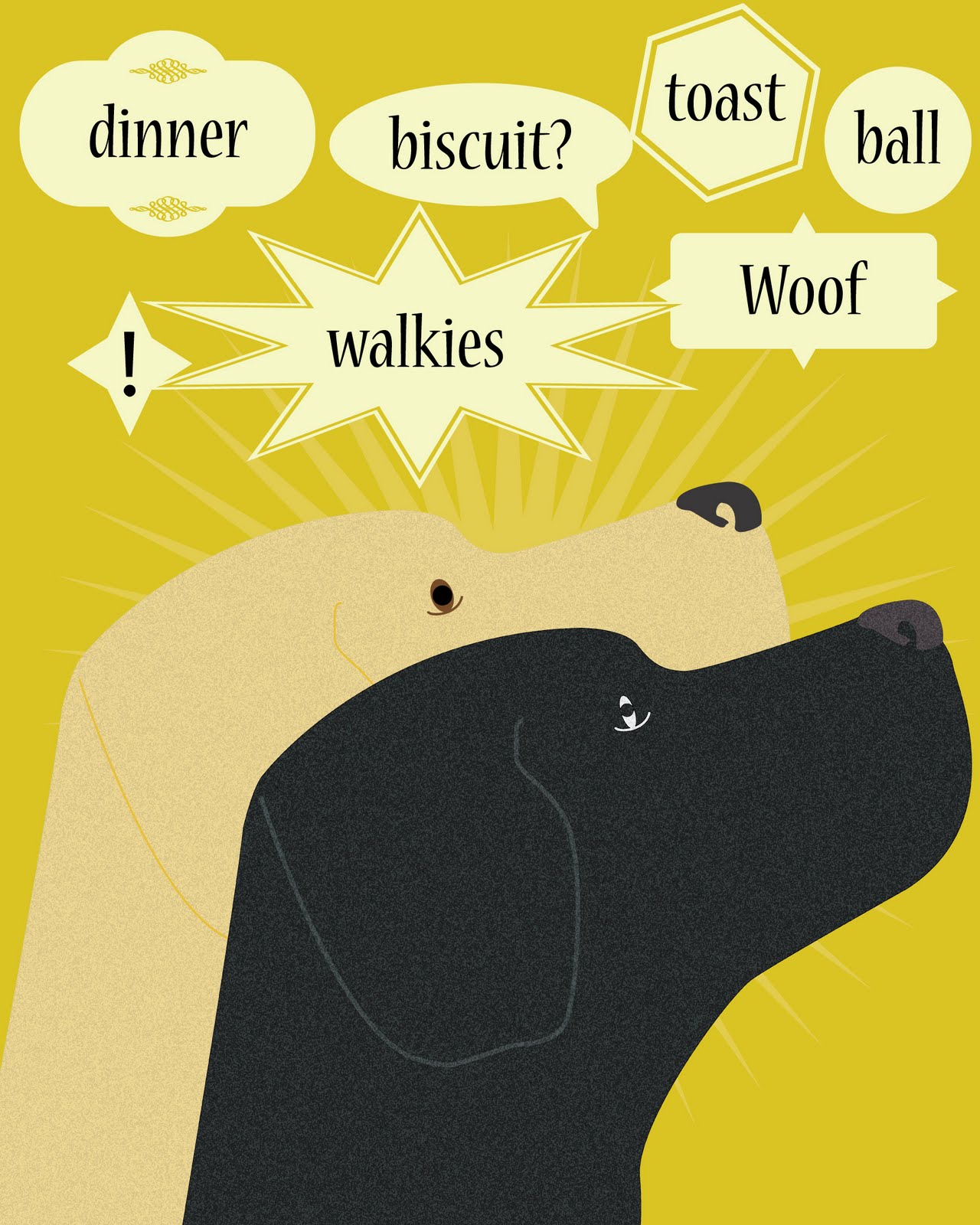
my doggie picture

Picture of my 2 labradors Georgia and Bertie. As done in illustrator. The quotes above are generally what they are thinking about.


Wednesday, February 02, 2011

css3 block

Here is a quick starter to css3 effects of blocks. All are simple starters to what you can achieve with some basic css3 to then go on and create something much more spectacular.

Listed are
CSS3 rounded corners
CSS3 box shadow
CSS3 roated block
CSS3 speech bubble

The demo can be found here

Instagram app

I have just downloaded the instagram app on my iphone and it is really cute. There are lots of apps that add filters to your photos but what I like about this one is a that it comes with a social networking integration. You can also upload to facebook, flickr etc

The app is free and fun to play around with.
Instagram - By Burbn, Inc.


Tuesday, February 01, 2011

Cool Bikes

As a cyclist with a plain black bike I do like to see interesting new bikes. One site that has caught my attention is Bike by Me, where you can customise the frame, wheels, chain etc in different colours.

cool bikes

The only thing is I would like to see different bike shapes but it looks nice

transparency without changing the text

I did this a while ago but thought it would probably be useful.

When you make an area transparent the problem arises that the text also picks up the transparency. To get around this you need to put the text in a new div and use z-index's.

I have created an example here

Putney Illustration


Thought that I would do a vector illustration of Putney Bridge

JQuery 1.5 Release

The latest version on Jquery has just been released. The biggest change according to their website is a complete rewrite of the Ajax module.

Pull it on the google CDN at

https://ajax.googleapis.com/ajax/libs/jquery/1.5.0/jquery.min.js

Sunday, January 23, 2011

Jamie Woon Website

Just finished the second stage of the Jamie Woon website.
www.jamiewoon.com. New slide up footer added with the twitter, facebook and echonest feed, plus now it works better on a mobile.

Wednesday, January 19, 2011

Add class to first link or third link

The below add a class to the first link. Can also be used for any number using nth


<p id="list">

<a href="#" class="item">Item One</a> - <a href="#" class="item">Item Two</a> - <a href="#" class="item">Item Three</a>

</p>

<script>$("p#list a").first().addClass('highlight');</script>


So to add a class to every third item

<ul id="List">
<li>number 1</li>
    <li>number 2</li>
    <li>number 3</li>
    <li>number 4</li>
    <li>number 5</li>
    <li>number 6</li>
    <li>number 7</li>
    <li>number 8</li>
    <li>number 9</li>
    <li>number 10</li>
    <li>number 11</li>
    <li>number 12</li>
</ul>

<script type="text/javascript">
$(document).ready(function(){
$("ul#List li:nth-child(3n)").addClass("third")
});
</script>

Tuesday, January 18, 2011

wedding invitation

I designed and created the stationary for my sister's wedding, which included invitations, menus, place settings and order of service. They all had swarovski heat stuck on for extra glamour.


Simple way to add class on hover with jQuery

If you need to add a class on hover the best way to do it is with jQuery


<html xmlns="http://www.w3.org/1999/xhtml">

<head>


<script src='http://ajax.googleapis.com/ajax/libs/jquery/1.4.2/jquery.min.js' type="text/javascript"></script>

<script type="text/javascript">

    $(document).ready(function() {

       $('.myDiv').hover(function() {

  $(this).addClass('newClass');

}, function() {

  $(this).removeClass('newClass');

});

    });  

</script>


</head>


<body>

<div class="myDiv">This is my new Div</div>

</body>

</html>

Numbered List with Jquery

Obviously you can use an ordered list to create the number in front of a list, however this is often hard to style and cumbersome. Instead jQuery can create a simple numbered list:


<script type="text/javascript">

$(document).ready(function(){


$("#List li").each(function (i) {

i = i+1;

$(this).prepend('<span class="commentnumber"> '+i+'. </span>');

   });

});

</script>


with the html


<ul id="List">

    <li>first list item</li>

    <li>second list item</li>

    <li>third list item</li>

</ul>


Been a While

With the imminent deminse of delicious I have been going through my bookmarks and have discovered my old blog that I half-hartedly started a few years back and then forgot about. Well time to start a new interest in it!!

As a belated new years resolution, I will try and keep the blog updated once more

Wednesday, November 08, 2006

reasons against opening links in a new window

Using target="_blank" in an html page means that it will not validate using the w3c standards. The w3c removed this command in strict html and strict xhtml due to:


  • Some browsers not supporting it. This is particularly true in pda's and mobile phones.

  • Most browsers now support tabbing

  • It should be up to the end user, not the website, to decide on how a link should be opened.


Whilst many websites still open external links in a new window, it is more and more becoming the industry standard to open links in the same window and allow the user to navigate back to the site because it has the information they're looking for.


Reasons against opening links in a new window include:


  1. The back button is the second most used navigation function (after hyperlinks, source: useit.com). By opening a new window means that the user will not be able to navigate back to the original website.

  2. Unless warned, most web users expect a hyperlink to load in the current window and so could confuse. Novice users and visually impaired users might not realise that a new window has opened and might struggle to switch between windows.

  3. New windows make taskbars even more cluttered and difficult to use as multiple windows are left opened.


Most users feel that they should be able to choose for themselves whether a link opens in a new window.

Friday, August 18, 2006

IE7

> For anyone who is interested Microsoft have released an IE7 Readiness
> toolkit for web developers which can be downloaded from
>
click here

Tuesday, August 08, 2006

mailers

I have just found this little site: manbuild

It seems like a nice tool for designers to create html emails without the hassle of sending them out themselves.

Web Tracker Tools

Find the oversize of your webpage and how long it will take to render. All of these tools are not 100% accurate as some of them don't take into consideration the css images.

web analyze

speed checker

To find out for sure what images IE loads, you could a tool like Fiddler to monitor the page download and see exactly what’s being downloaded. Fiddler only works with IE
fiddler

For Firefox users the Tamper Data extension Tamper

Tuesday, July 18, 2006

Thursday, July 13, 2006

Virtual PC

Microsoft has set Virtual PC (http://www.microsoft.com/windows/virtualpc/default.mspx) free. The release makes me wonder if the folks in Redmond have taken notice of Apple’s free BootCamp (http://www.apple.com/macosx/bootcamp/) or Parallel’s Desktop (http://www.parallels.com/) app. You can use Virtual PC to “run multiple operating systems at the same time on the same physical computer. Switch between virtual machines with the click of a button. Use virtual machines to run legacy applications, provide support, train users, and enhance quality assurance.” This is great news for those of us developing on Windows boxes who want to test IE 7 (or for that matter, Vista (http://www.microsoft.com/windowsvista/)) without installing the beta on a production system. It will also prove useful once the full version is out, and we want to keep a version of IE 6 handy.